
Today I am super excited to introduce the release of my newest free plugin – Back In Stock Notifications 🚀
This is a 100% free plugin for WooCommerce® that lets your customers stay connected with products they love while providing you with meaningful insights into product demand.
Whether you’re a developer helping clients streamline their eCommerce operations, a WooCommerce® store owner seeking to understand customer preferences, or a business owner looking for a simple way to keep high-demand products in the spotlight, _Back In Stock Notifications_ is built with you in mind.
Why Back In Stock Notifications?
From an eCommerce perspective, out-of-stock products can mean missed revenue and frustrated customers.
And by allowing customers to opt into real-time notifications when their favorite items are restocked, this plugin turns a typical eCommerce pain point into an opportunity to engage and retain customers.
It’s also a direct competitor to the Back in Stock Notifications plugin from Woo that they charge $59/year for (at the time of this writing).
It was deliberately chosen as a plugin to build because it allows some of the 20,000 customers to have a free alternative that does exactly what you need 🤘
Back In Stock Notifications provides:
- Increased Conversions : By inviting customers to sign up for notifications, you’re turning interest into action, even when stock levels fluctuate.
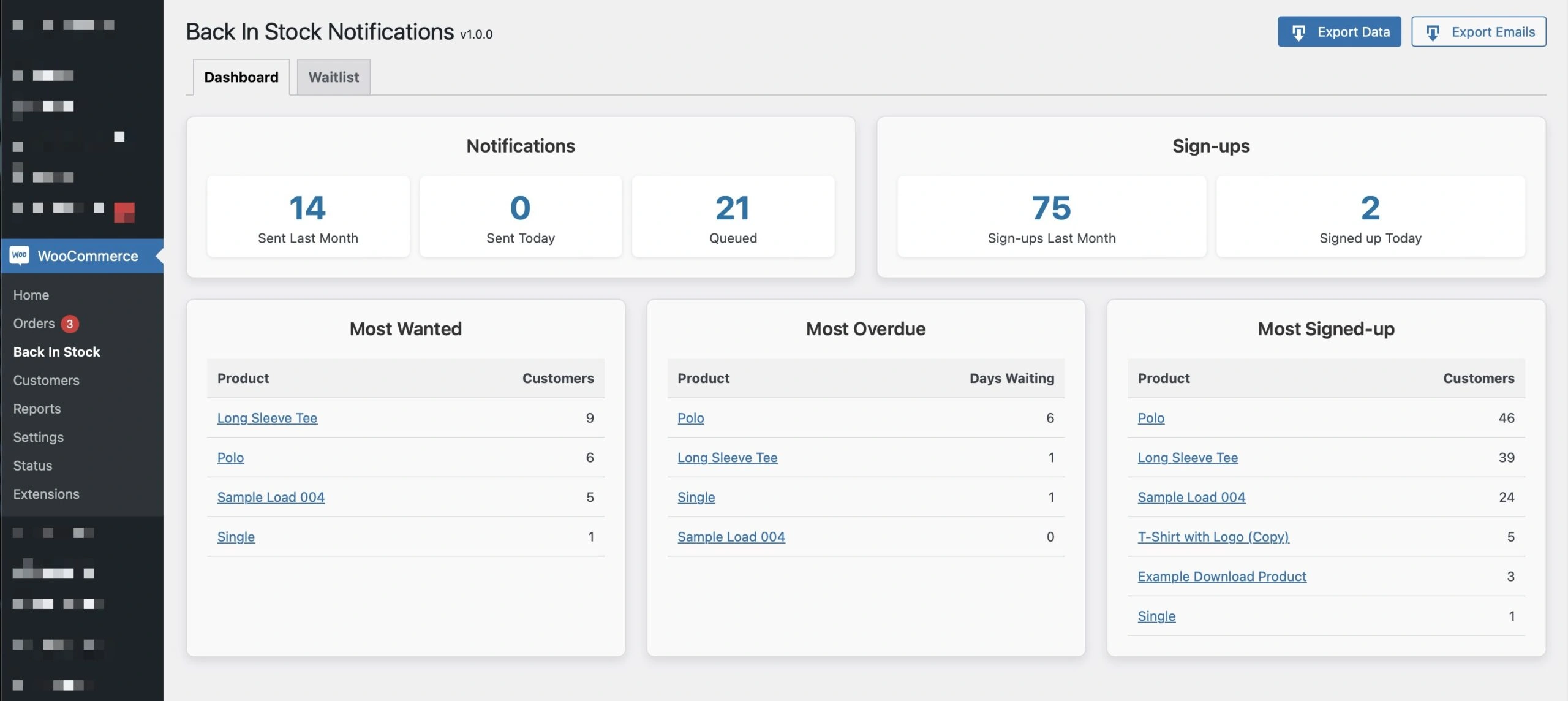
- Demand Insights : The BISN dashboard provides visibility into the most wanted and most overdue items, helping you make data-backed inventory and marketing decisions.
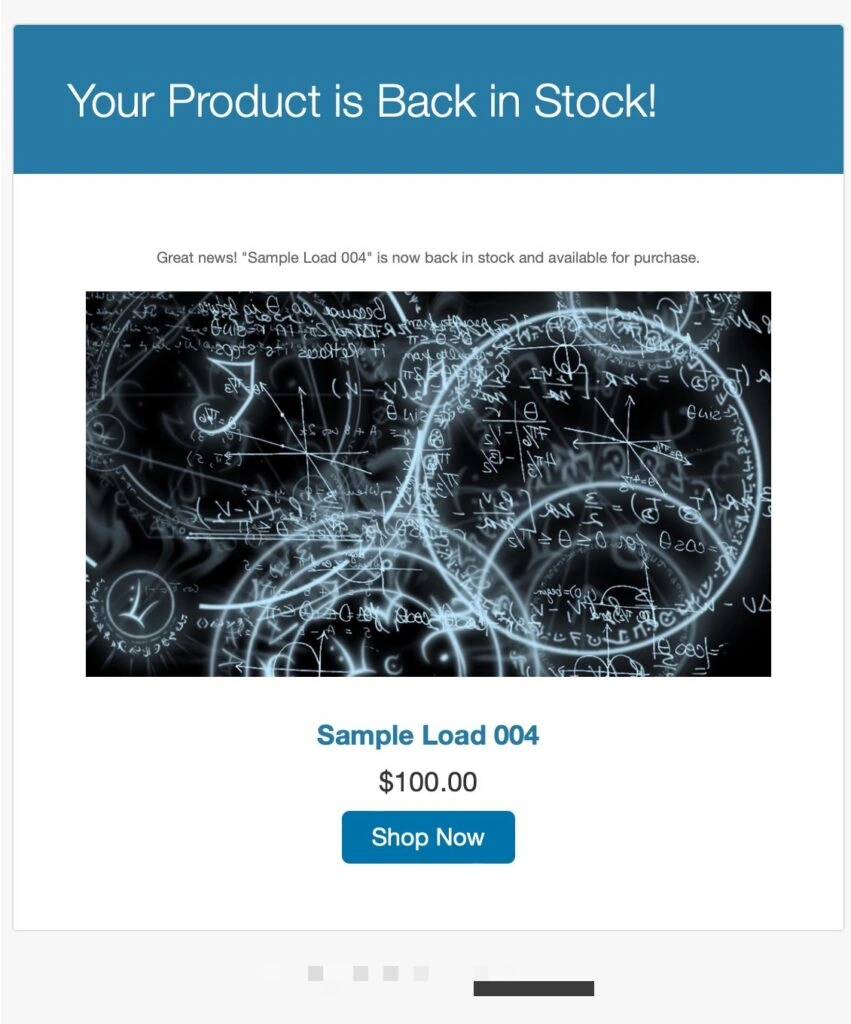
- Customer-Centric Engagement : Keep customers informed with a personalized email when the product they love becomes available again.
Key Features
Automated Notifications
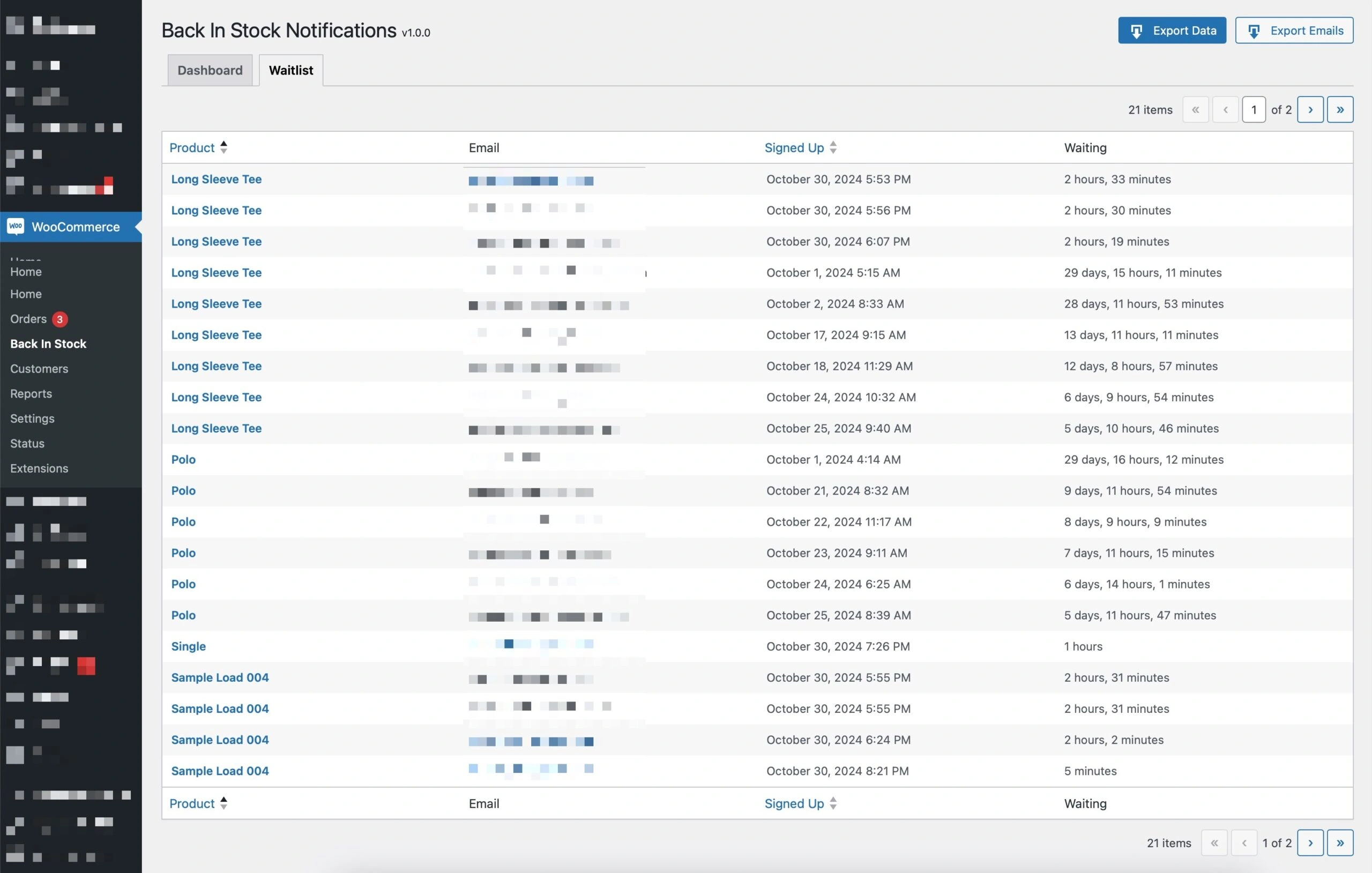

Back In Stock Notifications integrates natively with WooCommerce® to capture customer emails for out-of-stock items and then sends automatic emails when these products are restocked.
It’s a true “set it and forget it” feature designed to streamline the customer notification process.
Real-Time Demand Analytics
The plugin dashboard includes visual insights to highlight your most in-demand products. Using real-time data, store owners can see:
- Most Wanted : Products with the highest demand.
- Most Overdue : Out-of-stock products with the longest wait times.
- Most Signed-Up : Historical data on top sign-up products, helping you pinpoint your biggest revenue drivers.
This data doesn’t just inform inventory decisions – it helps you design marketing campaigns around your top products.
Customizable Email Templates
Keeping on-brand is crucial, especially for customer communications. The Back In Stock Notifications plugin for WooCommerce® provides customizable HTML and plain text templates.
Developers can copy these templates to a theme directory to apply custom styling, making it easy to create emails that match the brand’s tone, design, and personality.
Automatic Updates with Plugin Update Checker
This plugin uses Plugin Update Checker, which makes sure you’ll receive every update, right from within your WordPress® dashboard.
This means no more manual downloads or installations – just an easy, seamless update experience the way you deserve 🤘
Who Should Use Back In Stock Notifications?
- WooCommerce® Store Owners : Gain actionable insights into product demand, reduce lost revenue, and stay connected with your customers.
- Developers : Enjoy a feature rich, extendable plugin that integrates perfectly with WooCommerce®, providing additional hooks and filters for further customization.
- Marketers : Increase engagement and conversion rates with timely, customer-specific notifications and data-driven inventory insights.

Getting Started with Back In Stock Notifications
Step 1: Install the Plugin
Installing Back In Stock Notifications is simple.
Download the plugin from GitHub, upload it to your WordPress® site, and activate it. Make sure the WooCommerce® plugin is active, as this plugin is built to run on WooCommerce-enabled sites.
Step 2: Configure and Customize
After activating the plugin, configure the email template to match your brand’s style.
The email templates, located in the plugin’s templates/emails directory, are ready to be customized with your brand’s look and feel.
Step 3: Analyze and Adjust
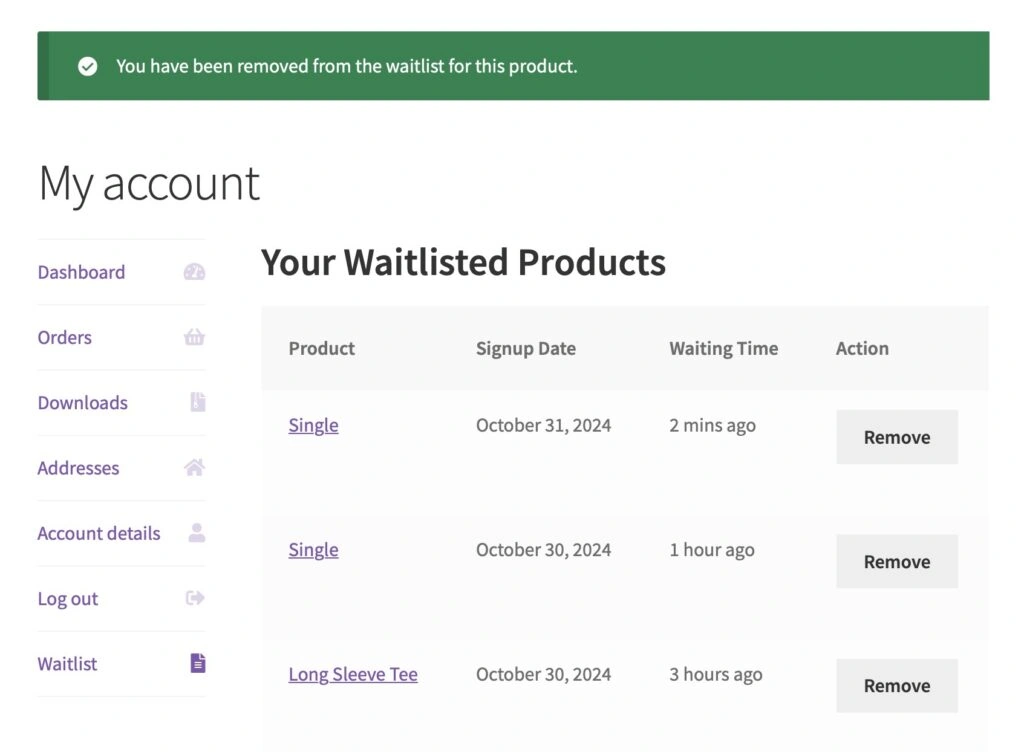
Once customers start using the waitlist, you’ll see real-time data populate your dashboard.
Use this insight to adjust inventory, run promotions, or optimize reordering schedules around your highest-demand products.
What’s Next?
With this initial release, I’ve focused on optimizing the user experience and making a seamless integration with WooCommerce®.
In future updates, I’ll continue to enhance this plugin with new features and data-points for the analytics that bring even more value to businesses relying on WooCommerce®.
I am fully aware that this does not currently offer 100% feature parity (yet) when compared to the Woo plugin. But I am fully intending on surpassing it in both features and functionality 💯
Upcoming Features:
- Enhanced Analytics : Additional filters and data to provide deeper insights.
- Multi-Channel Notifications : Extend notifications to other platforms beyond email, including SMS or push notifications.
- User Behavior Tracking : Integration with analytics tools to track the full customer journey from notification to purchase.
- Granular Form Control: Additional options to turn off individual or groups of products from allowing waitlist signups.
If you have feedback or feature requests, I’d love to hear from you!
Reach out any time through my contact page or by opening a GitHub issue 🤘