
I’m thrilled to announce the release of Barcodes for WooCommerce® , a free plugin I’ve developed to make managing WooCommerce® stores more efficient.
By integrating QR code functionality, this tool simplifies how you manage orders and products, while also enhancing your customers’ experience.
Before we even go any further I want to point out that I’ve included a feature that lets admin’s scan a barcode and see order details instantly displayed on the screen 👀
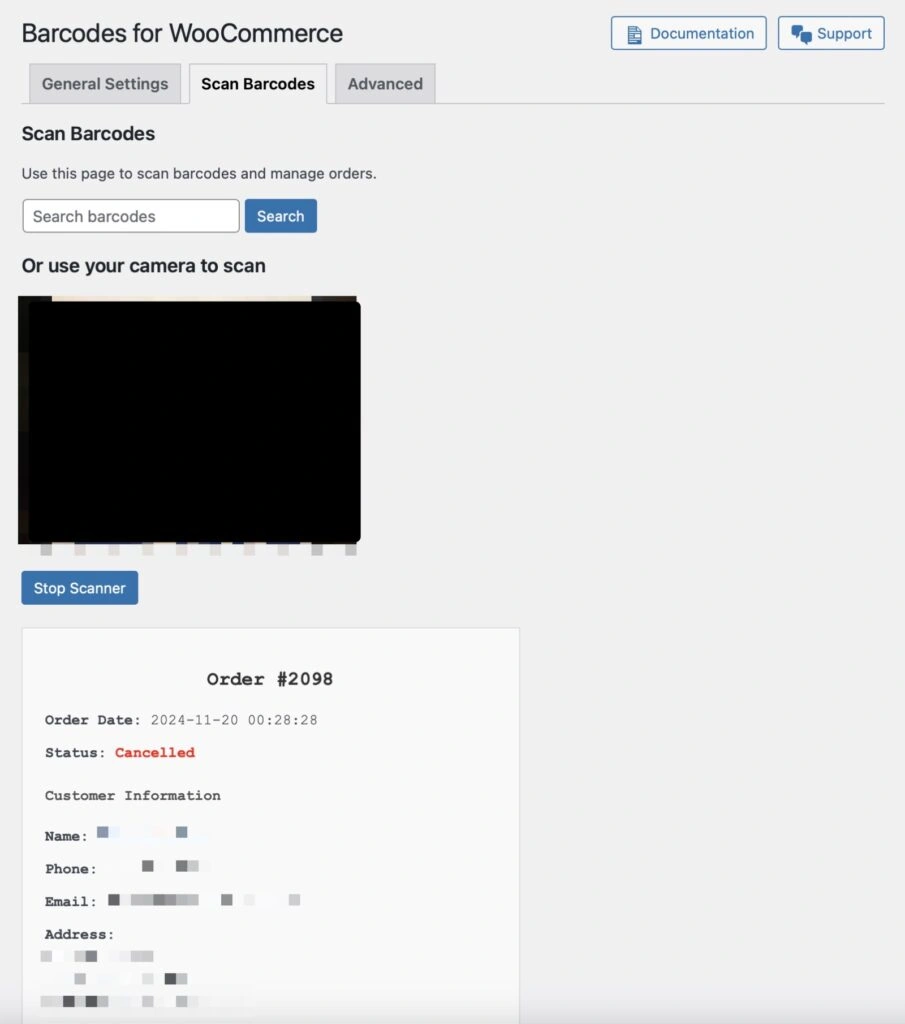
This is a feature that the WooCommerce® community has been asking WooCommerce® to include since … checks watch … 2018 🤦♂️ (source)
🚀 Key Features of v0.0.1
For this first release, I’ve focused solely on QR code functionality to ensure the plugin provides a simple, reliable experience:
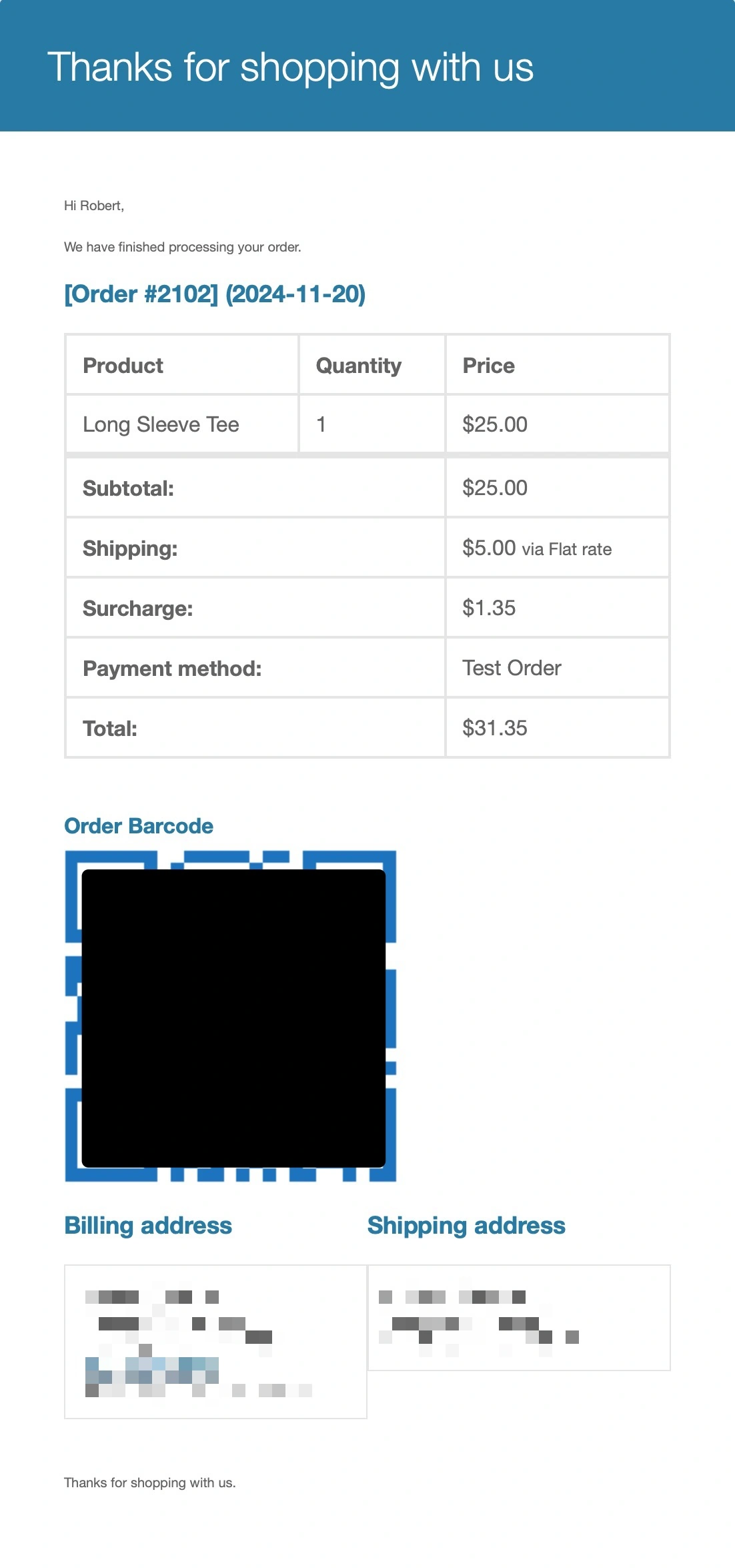
1. Order QR Codes
- Automatically generated for all new WooCommerce® orders.
- Included on the thank-you page, customer emails, and admin order details page.
- Perfect for quickly accessing and managing orders with a simple scan.
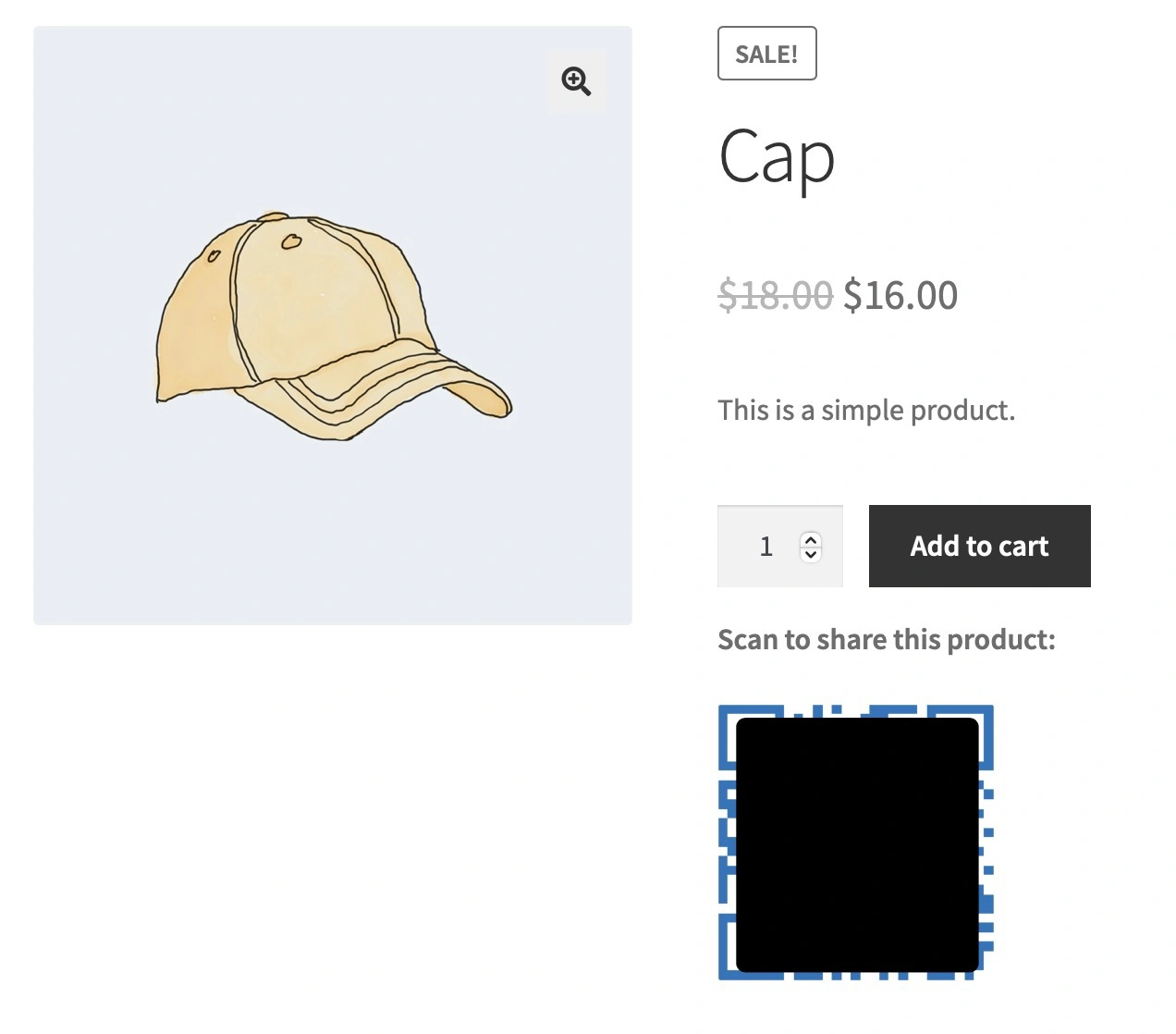
2. Product QR Codes
- Displayed directly below the “Add to Cart” button on product pages.
- Links to the product itself, making it easy for customers to share or revisit products from their phones.
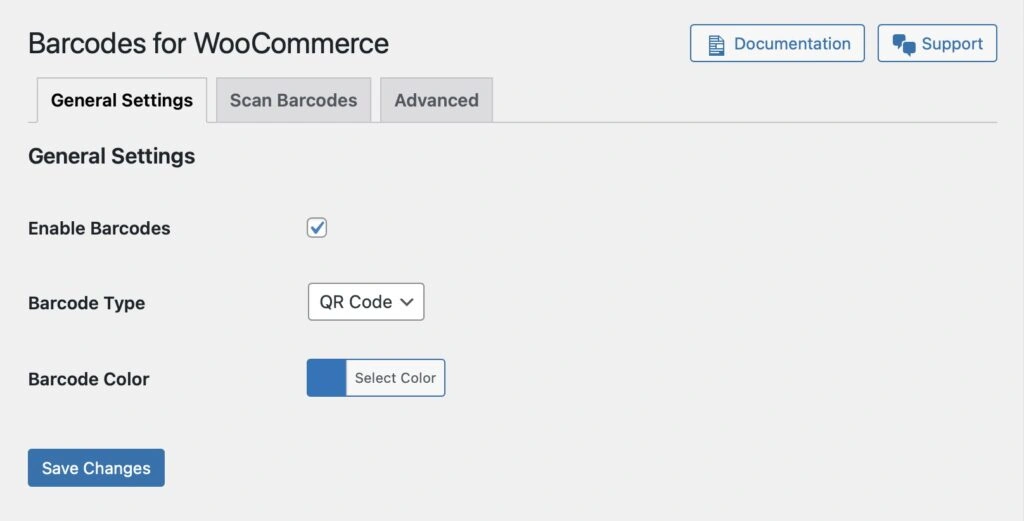
3. Customizable QR Codes
- Easily adjust QR code colors to match your store’s branding.
- All settings are accessible in a dedicated admin interface.

4. Batch Barcode Generation
- Generate QR codes for existing products and orders in one click.
- Automatically generates QR codes for new products and orders moving forward.
🛠️ How to Get Started
Getting started with Barcodes for WooCommerce® is straightforward:
1. Install and Activate:
Download the plugin from the GitHub repository and activate it in your WordPress dashboard.
2. Explore Product QR Codes:
Visit any product page on your store to see the QR code displayed below the “Add to Cart” button. Scanning it will take customers directly to that product.
3. Use Order QR Codes:
Order QR codes are automatically included in:
- The thank-you page.
- Customer order confirmation emails.
- The admin order details page.
4. Customize Your QR Codes:
Navigate to WooCommerce > Barcodes to customize settings like QR code color to better align with your store’s branding.
5. Batch Generate QR Codes:
Use the tools in the plugin’s advanced settings to generate QR codes for all your existing products and orders.
🔮 What’s Next?
While v0.0.1 focuses exclusively on QR codes, this is just the beginning.
I have big plans for Barcodes for WooCommerce and want to make sure it evolves to meet your needs 🤘💯
1. More Barcode Types
I’m planning to add popular formats like UPC, EAN, and Code 128 in future updates. However, I want to hear from you; what barcode types do you use most?
Your feedback will help me prioritize which features to include in future releases.
2. Advanced Scanning Tools
I’m exploring options to integrate with mobile devices and scanners, making it even easier to manage orders and inventory from anywhere.
Are there any that you or your clients currently use? I’d love to hear from you 🙏
3. Enhanced QR Code Customization
Future updates will include advanced styling options, logo overlays, and more flexibility to align QR codes with your brand’s aesthetic.
There will also be more control over when and where the QR Codes are displayed, like the single products and emails.
4. Insights and Analytics
I’m also looking into adding tracking for QR code usage so you can see how customers are interacting with them.
📣 I Want Your Feedback
Barcodes for WooCommerce is built with WooCommerce® store owners and builders in mind, and your input will shape its development.
- What barcode types do you need most?
Let me know so I can focus on delivering features that add real value to your store.
- What features would you like to see next?
I’m open to ideas–whether it’s deeper scanning integrations, reporting tools, or something else entirely.
- Join the Development:
If you’re a developer, feel free to contribute on GitHub through pull requests or by reporting issues.
📈 Why Barcodes for WooCommerce?
Barcodes, especially QR codes, are more than just a convenience – they’re a tool for improving your store’s efficiency and customer experience:
- Streamline Operations: Quickly scan QR codes to locate orders or products with minimal effort.
- Enhance Customer Experience: Provide customers with easy ways to share and revisit products.
- Optimize Inventory Management: Keep everything organized and easily accessible.
🔗 Download and Try Barcodes for WooCommerce
Download the plugin from GitHub today and see how it can simplify your workflow.
This is just the beginning, and I’m excited to hear your thoughts and feedback to make Barcodes for WooCommerce even better in future updates.
Thank you for your support–I look forward to seeing how this plugin helps your WooCommerce store thrive!