
It’s WooWednesday again, and I’m happy to introduce Bulk Stock Management for WooCommerce® – a free plugin designed to simplify your stock management workflow.
Whether you’re managing hundreds of products or just a few, this WooCommerce® plugin streamlines the process, giving you time back to focus on growing your business.
Why I Built This Plugin
First things first, this is another “premium” solution that WooCommerce sells, but should 100% be a free feature built into Woo Core.
I also notice store owners that I work with struggling to use WooCommerce’s default stock management options.
The built-in tools, while useful, sometimes lack efficiency when managing large inventories.
Bulk updates, quick edits, and intuitive reporting were common pain points I kept hearing about.
So, I decided to build Bulk Stock Management for WooCommerce® to address these challenges.
It’s my way of giving back to the WooCommerce community and equipping store owners with free tools to make stock management less of a pain in the ass.
Key Features
Here’s what makes this plugin a game-changer for WooCommerce stores:
⚡ Bulk Stock Management
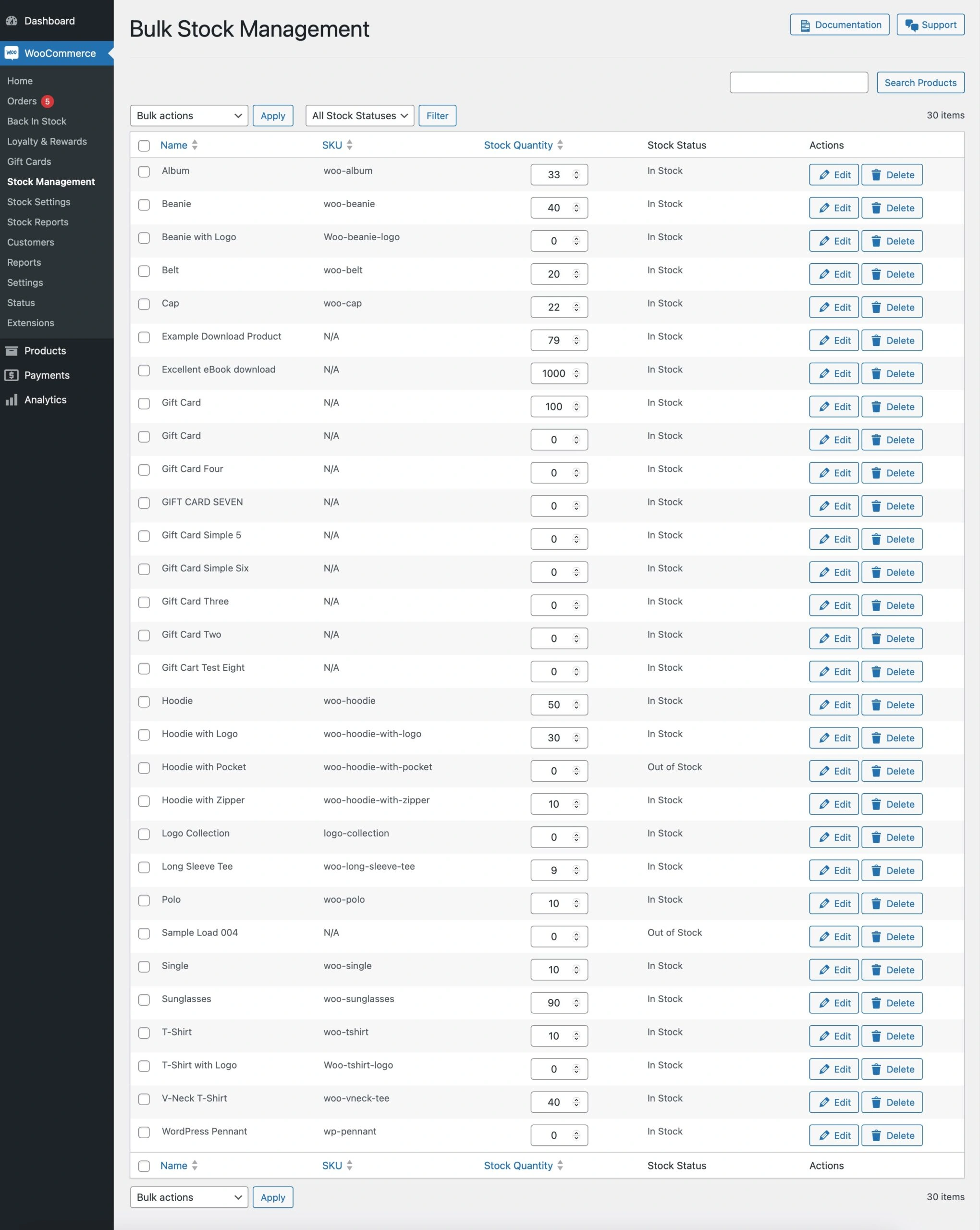
Easily update stock levels for multiple products at once. Use bulk actions for common tasks like marking items as “In Stock” or allowing backorders.
📊 Stock Reporting
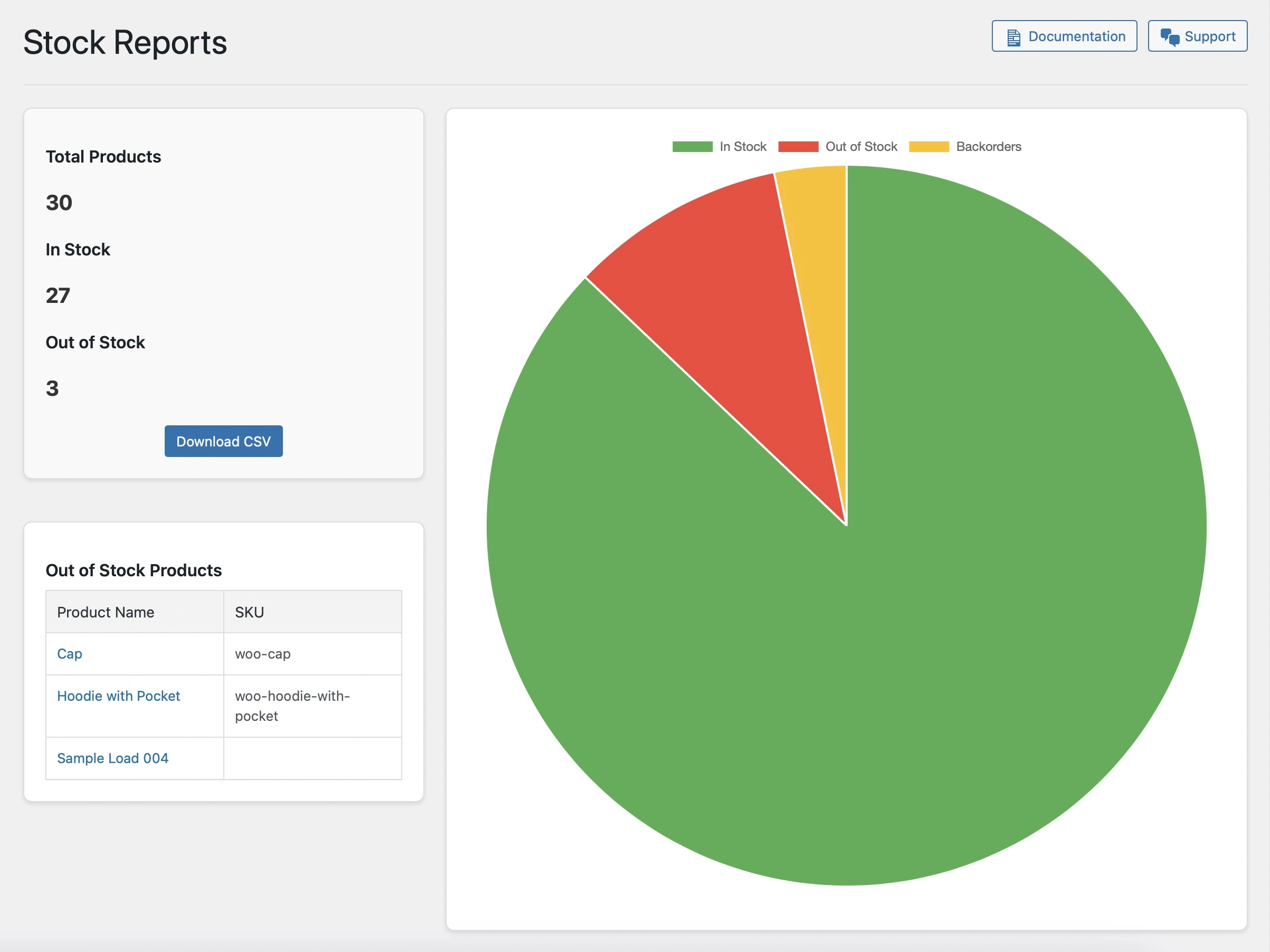
Generate detailed stock reports in just a few clicks. Export them as CSV files with customizable columns, tailored to your specific needs.
🛠️ AJAX-Powered Interface
Enjoy a modern and intuitive experience with modal pop-ups for editing product stock, all powered by AJAX for seamless interaction without page reloads.
🔍 Out-of-Stock Insights
Get a clear view of which products are out of stock and manage them directly from the admin dashboard.
🎛️ Customizable Settings
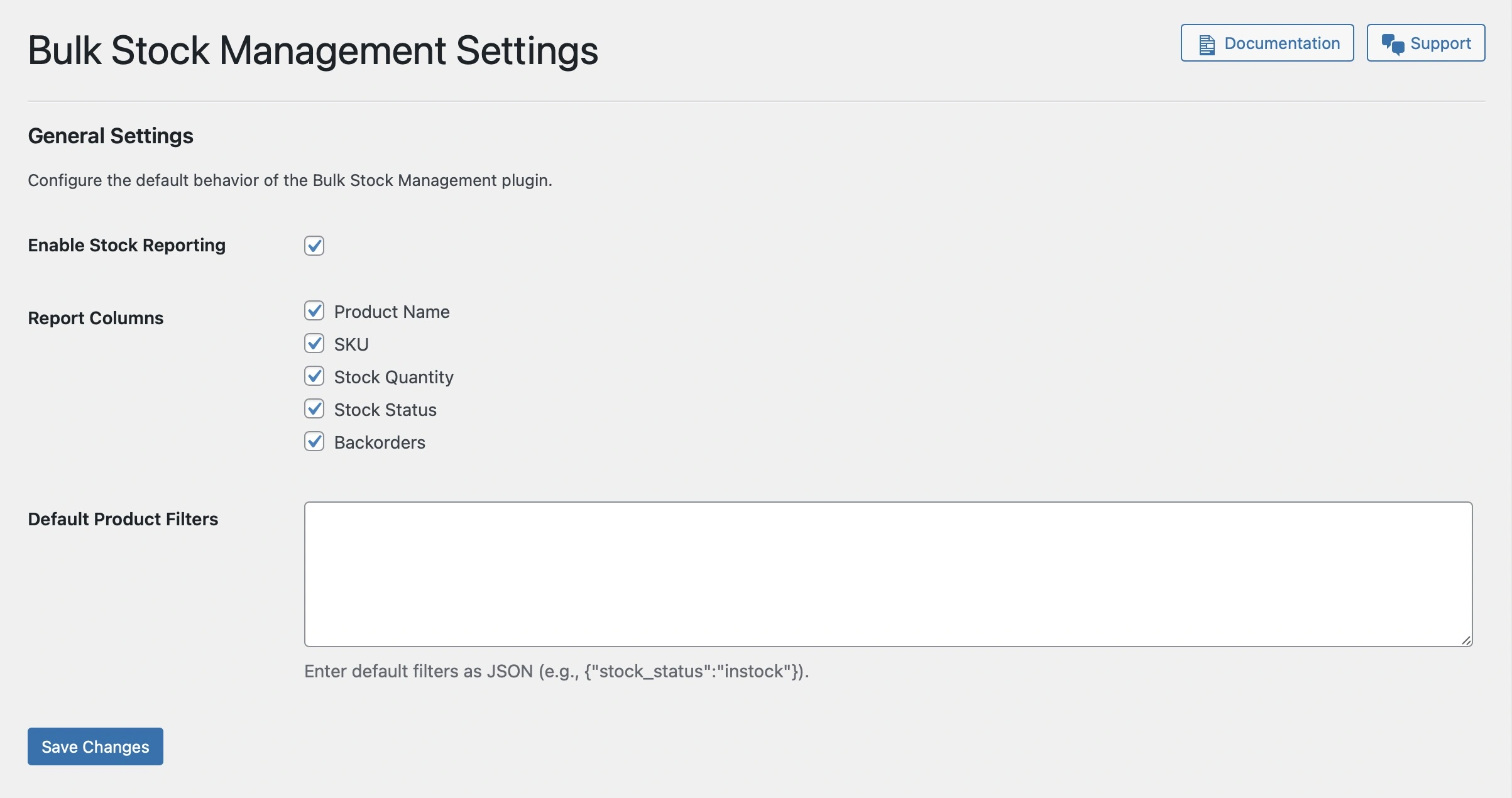
Take control of your workflow with options to enable reporting, define default filters, and adjust report columns to suit your business.
How to Get Started
1. Download the Plugin : Get it on GitHub.
2. Install and Activate : Upload the ZIP file via your WordPress® dashboard.
3. Start Managing Stock : Head over to WooCommerce > Stock Management to see the plugin in action.
What’s Next?
This is just the beginning! Here’s some of what I’m planning for future updates:
- Enhanced Reporting : More detailed insights into product performance and stock trends.
- Notifications : Alerts for low stock or out-of-stock products.
- Integrations : Compatibility with other popular WooCommerce extensions.
Got suggestions? I’d love to hear them! Drop me a message or submit an issue on GitHub.

Special Thanks
A big shoutout to the WooCommerce® community for inspiring this project.
Your public feedback about the Woo solution helped shape the development of this plugin.
And of course, thank you to everyone who supports independent developers like me 💪💯
Join the Conversation
Let’s keep the #WooWednesday momentum going!
Try out Bulk Stock Management for WooCommerce® and let me know what you think.
Share your thoughts, feedback, and success stories using the hashtag #WooWednesday and tagging me on Twitter.
Download Now
Bulk Stock Management for WooCommerce®
Here’s to smarter stock management and more productive WooCommerce stores.
See you next #WooWednesday!