
I am happy to release Gallery Modals , a new free WordPress® plugin designed to transform your WordPress® galleries into immersive, interactive experiences.
If you’ve ever wanted to give your site’s images that extra touch of elegance and functionality, this is the plugin you’ve been waiting for!
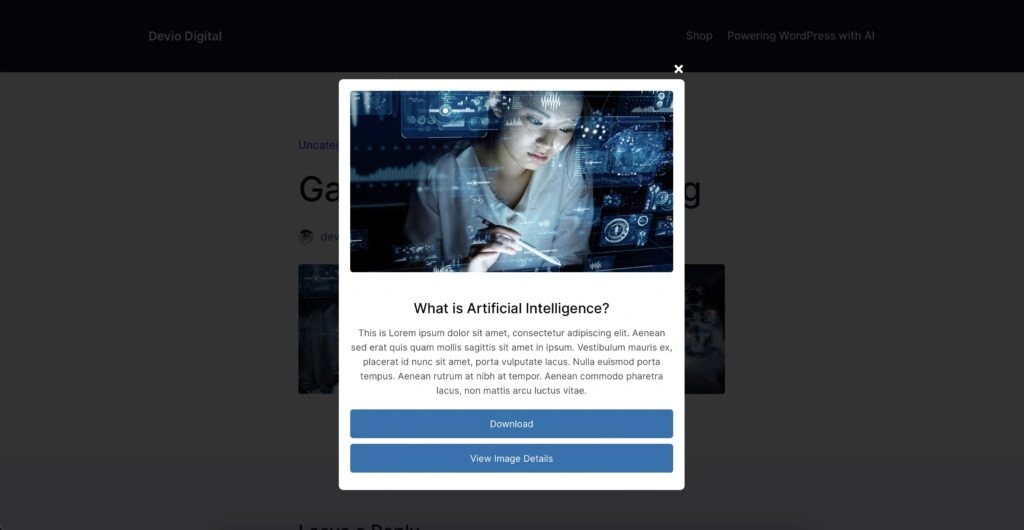 Gallery Modals frontend display
Elevate Your Gallery Experience
TL;DR – Gallery Modals adds sleek modal popups to your WordPress gallery images.
Now, when visitors click on an image, they’ll be greeted with a beautiful overlay that not only showcases the image in all its glory but also provides additional features to enhance user engagement.
Key Features:
- Modal Popups for Gallery Images : Automatically integrates with your existing galleries, no extra setup required.
- Download Button : Allow visitors to download images directly from the modal, making content sharing easier than ever.
- View Image Details : Include a link to the image’s attachment page, providing more context and information.
- Customizable Appearance : Tailor the look and feel of the modals to match your site’s branding with extensive color and opacity settings.
- Display Controls : Decide which elements to show or hide within the modal, such as titles, descriptions, and buttons.
- Responsive Design : Ensure a seamless experience across all devices, from desktops to smartphones.

Why Gallery Modals?
User experience is paramount for the success of any website, and yours is no different.
Gallery Modals not only enhances the aesthetic appeal of your site but also improves functionality by encouraging visitors to interact more deeply with your content.

Imagine visitors being able to:
- Engage with High-Resolution Images : Present your visuals in a captivating way that grabs attention.
- Access Additional Information : Provide context with titles and descriptions directly within the modal.
- Easily Download and Share : Facilitate content sharing by making downloads straightforward.
All of this is achieved with minimal effort on your part. Simply install the plugin, and it begins working its magic instantly!
Get Started Quickly
I’ve made sure that getting up and running with Gallery Modals is a breeze:
1. Install the Plugin : Download it from the GitHub repository and upload it directly through your WordPress dashboard.
2. Activate and Enjoy : Activate the plugin, and it will automatically enhance all your gallery images.
3. Customize to Your Liking : Head over to the settings page to tweak colors, opacity, and display options, all with a real-time preview.
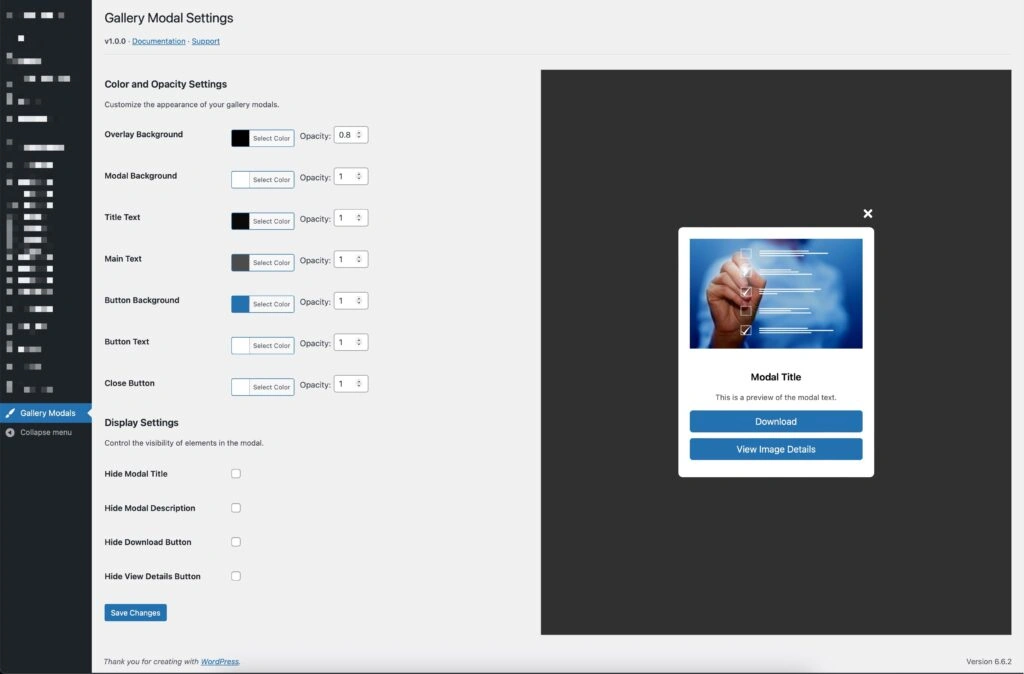 Gallery Modals settings example
Customization at Your Fingertips
I understand that every website is unique. That’s why Gallery Modals offers extensive customization options:
- Color and Opacity Settings : Adjust the overlay background, modal background, text colors, button styles, and even the close button color to perfectly match your site’s theme.
- Display Settings : Choose which elements to display within the modal. Hide or show titles, descriptions, download buttons, and detail links based on your preferences.
- Real-Time Preview : See your changes come to life instantly with our integrated preview feature, making the customization process intuitive and enjoyable.
For the title and description text that’s displayed in the popups, you can edit these directly in the image editor within the WordPress® gallery.
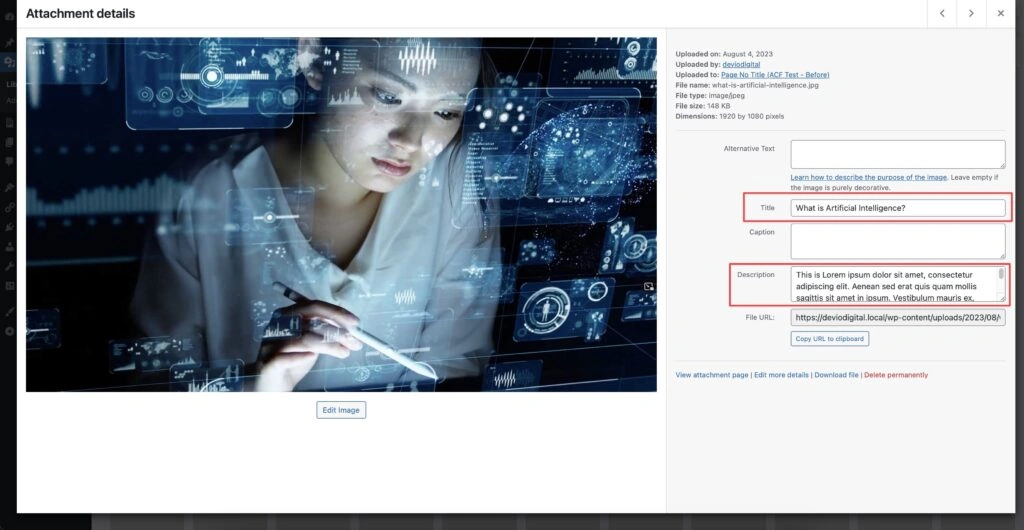 Screenshot
Looking Ahead
This release is just the beginning. I’m committed to continuously improving Gallery Modals, adding new features, and incorporating feedback from its users.
I believe in creating tools that not only meet but exceed your expectations, and Gallery Modals is no different.