
Today I’m really happy to release this new free plugin for the WordPress® and Yoast SEO communities 💪💯
The Metadata Import/Export for Yoast plugin is designed to empower SEO’s and content managers who use Yoast SEO by streamlining the process of managing metadata across WordPress® sites.
The Inspiration Behind the Plugin
Working closely with clients and other SEOs over the years, I’ve seen the challenges that come with managing SEO metadata, especially when dealing with large sites or migrating content.
Manually updating focus keywords, SEO titles, and meta descriptions can be a giant pain in the ass, to put it politely 😂
I wanted to create a solution that simplified this process, so you can focus on what you do best – optimizing content and driving organic traffic 🤘
Key Features
Seamless Import and Export of Metadata
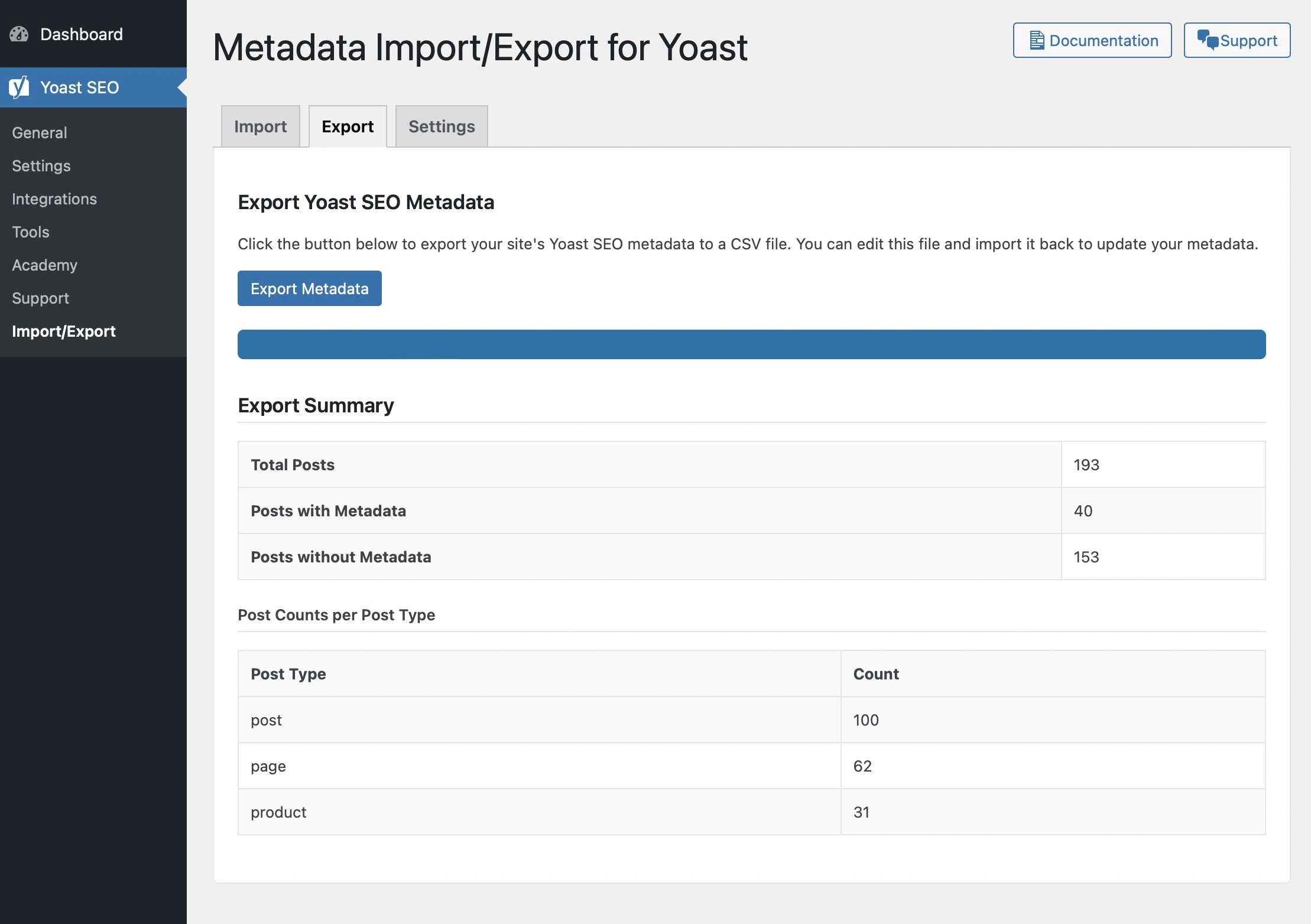
With this plugin, you can easily export all your Yoast SEO metadata into a CSV file. This includes:
- Focus Keyphrase
- SEO Title
- SEO Description
Editing the metadata in a CSV file allows for quicker bulk updates using spreadsheet software like Excel or Google Sheets.
Once your edits are complete, you can import the CSV back into your WordPress site, and the plugin will update the metadata accordingly.
Custom Post Type Support
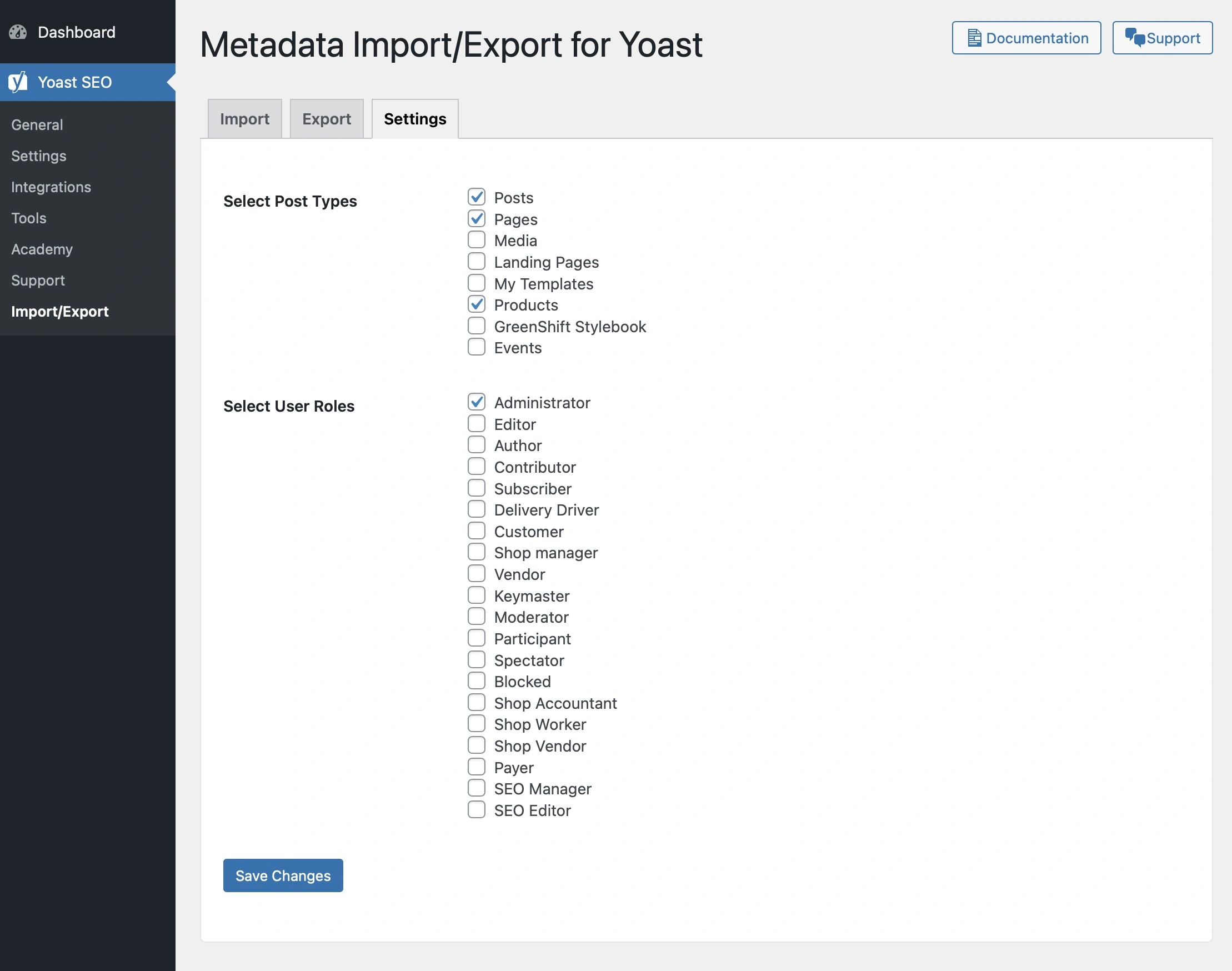
Recognizing that many WordPress® sites utilize custom post types, the plugin allows you to select which post types to include in the import/export process.
Whether you’re managing posts, pages, products, or any custom content type, the plugin has you covered.
User Role Access Control
Understanding that not all team members should have the same level of access, the plugin includes settings to define which user roles can use the import/export features.
This ensures that only authorized personnel can make significant changes to your site’s SEO metadata.
Progress Indicators and Detailed Statistics
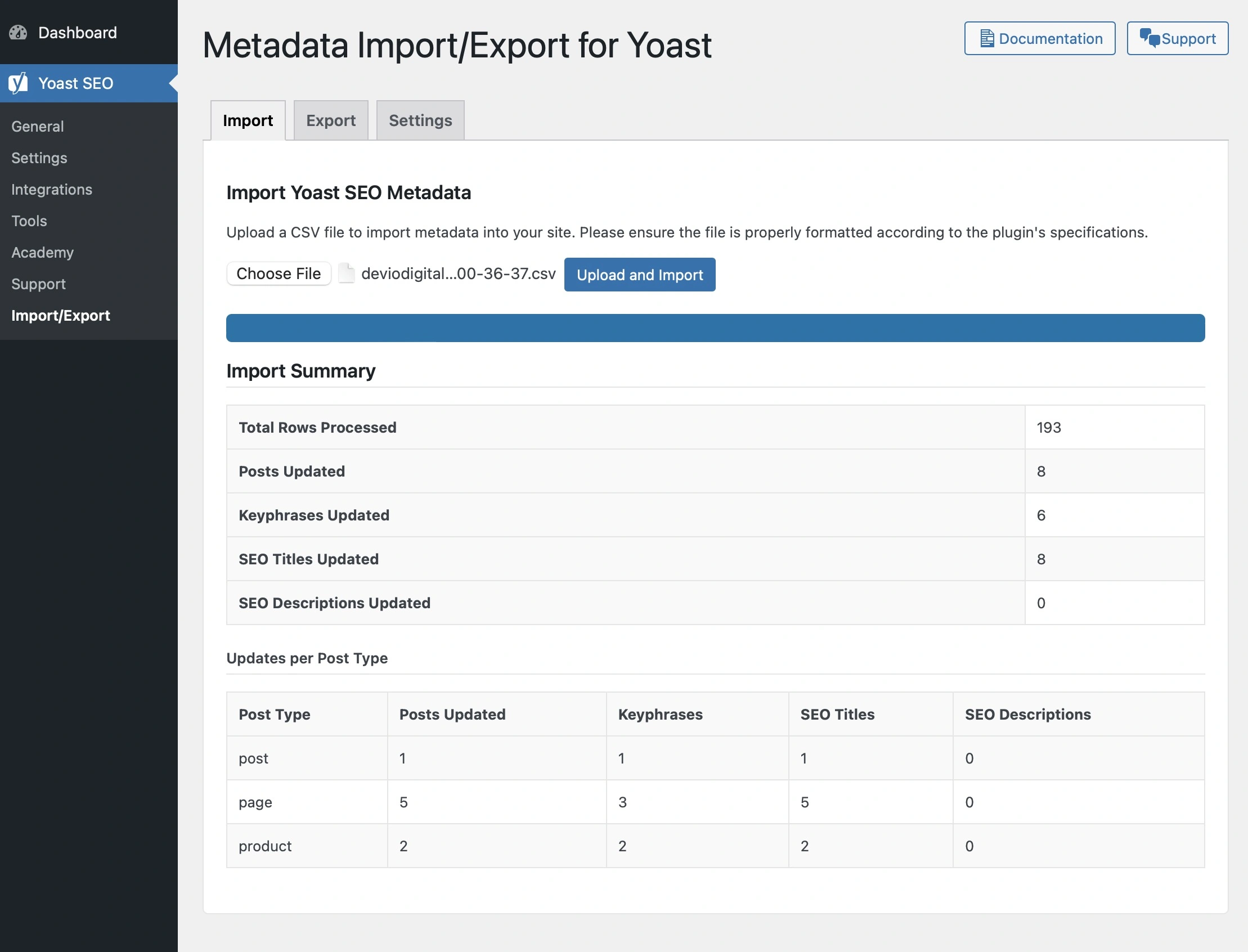
During import and export operations, the plugin provides visual progress indicators to keep you informed.
After each operation, detailed statistics are displayed, including:
- Total number of posts processed
- Number of posts updated
- Breakdown by post type
- Field-specific updates (keyphrase, title, description)
These insights help you understand the impact of your changes and maintain transparency throughout your workflow.
Why This Plugin Matters for SEOs
Efficiency and Time Savings
By automating the bulk editing process, SEOs can save countless hours that would otherwise be spent manually updating metadata within the WordPress® admin interface.
Accuracy and Consistency
Working within a CSV file reduces the risk of human error.
It also allows for consistency checks and the use of spreadsheet functions to standardize metadata across multiple posts.
Flexibility in Team Collaboration
The plugin’s user role settings make it easier to delegate tasks within a team.
Content writers, editors, and SEO’s can be granted appropriate access without compromising site security.
Getting Started
Installation
1. Download the Plugin : Visit the GitHub repository to download the latest version.
2. Install and Activate : Upload the plugin to your WordPress® site and activate it through the ‘Plugins’ menu.
3. Configure Settings : Navigate to SEO > Import/Export > Settings to select your preferred post types and user roles.
Using the Plugin
- Exporting Metadata : Go to the
Exporttab and clickExport Metadatato download a CSV file of your site’s SEO metadata. - Importing Metadata : In the
Importtab, upload your edited CSV file and clickUpload and Import. The plugin will process the file and update your metadata accordingly.
Looking Ahead
This is the initial release of the Metadata Import/Export for Yoast plugin, and I’m already planning for the next phase of updates.
Your feedback is important to the future of the plugin.
I welcome your feature suggestions, which you can leave along with any issues in the GitHub repository.

Acknowledgments
I want to extend my gratitude to the WordPress community and all the SEOs who have inspired this project.
Your dedication to making the web more accessible and information-rich fuels innovations like this 🤘💯