
I’m excited to announce the release of my new free WordPress® plugin, Persistent Dismissible Notices , designed to solve a long-standing annoyance in the WordPress admin experience.
If you’ve ever been frustrated by repeatedly dismissing the same admin notices, this plugin ensures that once dismissed, they stay dismissed across sessions for logged-in users.
This release reflects a culmination of addressing real-world frustrations with admin notices while providing an elegant, scalable solution.
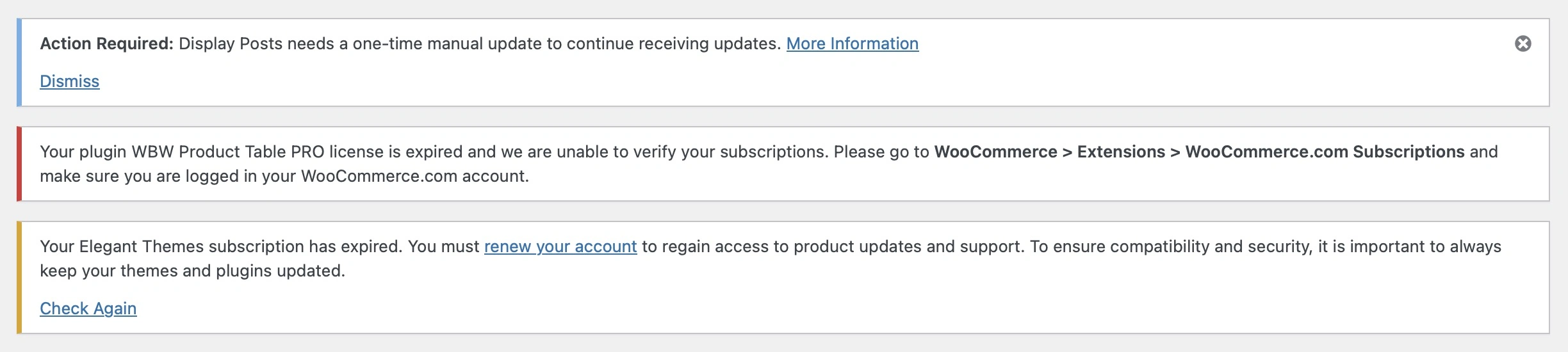 Two notices without an option to dismiss
Why Persistent Dismissible Notices Matters
Admin notices play a vital role in the WordPress® ecosystem. They inform users about important events, plugin updates, or configuration issues.
However, the lack of a persistent dismissal mechanism for some notices can lead to unnecessary clutter, creating a frustrating user experience.
Persistent Dismissible Notices bridges this gap by:
- Improving usability : Ensuring dismissed notices remain dismissed across sessions.
- Enhancing the dashboard experience : Reducing visual clutter for a cleaner, more streamlined admin area.
- Supporting custom notices : Working seamlessly with third-party plugins and themes.
By addressing these pain points, this plugin saves users time and removes distractions from their daily workflow.

Key Features
Dismissal Persistence
- Notices with IDs: The plugin tracks dismissed notices by their unique IDs, ensuring they stay dismissed until explicitly cleared.
- Notices without IDs: The plugin automatically assigns a unique ID based on the content of the notice, providing the same persistence functionality.
Compatibility
- Works out of the box with all admin notices, including those from third-party plugins and themes.
- Automatically adds dismiss buttons to notices without predefined dismissal functionality.
Scalability and Performance
- Uses user metadata to store dismissed notices, ensuring high performance without impacting server resources.
How to Use the Plugin
Installation
1. Download and Activate
- Download the plugin.
- Upload the zip file via the WordPress® admin or place the folder directly in
wp-content/plugins/. - Activate the plugin from the WordPress admin.
2. Immediate Functionality
- Once activated, the plugin automatically makes all admin notices dismissible and persists dismissals for those with IDs.
How It Works
JavaScript
- Detects notices and assigns unique IDs (if missing).
- Adds a dismiss button to all admin notices.
- Handles dismissal via AJAX to ensure a seamless user experience.
PHP
- Filters admin notices during rendering to exclude dismissed notices based on user metadata.
This combination of JavaScript and server-side logic ensures a robust, scalable solution.

Roadmap and Future Plans
While version 1.0.0 delivers on its core promise, there’s more I plan to explore:
1. Multisite Support : Extending functionality to work seamlessly across multisite installations.
2. Customizable Dismissal Behavior : Providing site administrators with options to customize dismissal settings (e.g., temporary dismissals).
3. Advanced Debugging Tools : Adding a developer-focused feature to view and manage dismissed notices for testing and debugging.
Your feedback and feature requests are super important to the continued development of this plugin.
Feel free to share your ideas via GitHub issues.
Download Persistent Dismissible Notices and try it out today!