
I’m thrilled to share my latest plugin that aims to make WooCommerce® even more powerful and versatile.
Introducing Shipping Multiple Addresses for WooCommerce® , the free plugin that simplifies sending items to multiple locations from a single order.
Whether you’re a store owner or a customer, this plugin is here to enhance your WooCommerce® experience.
Why This Plugin Matters
You and I both know that customers expect flexibility.
Maybe they’re sending gifts to family and friends, or perhaps a business needs to distribute products to multiple offices.
The default WooCommerce® setup handles shipping beautifully for single addresses, but what about scenarios where multiple destinations are involved?
That’s where Shipping Multiple Addresses for WooCommerce® comes in.
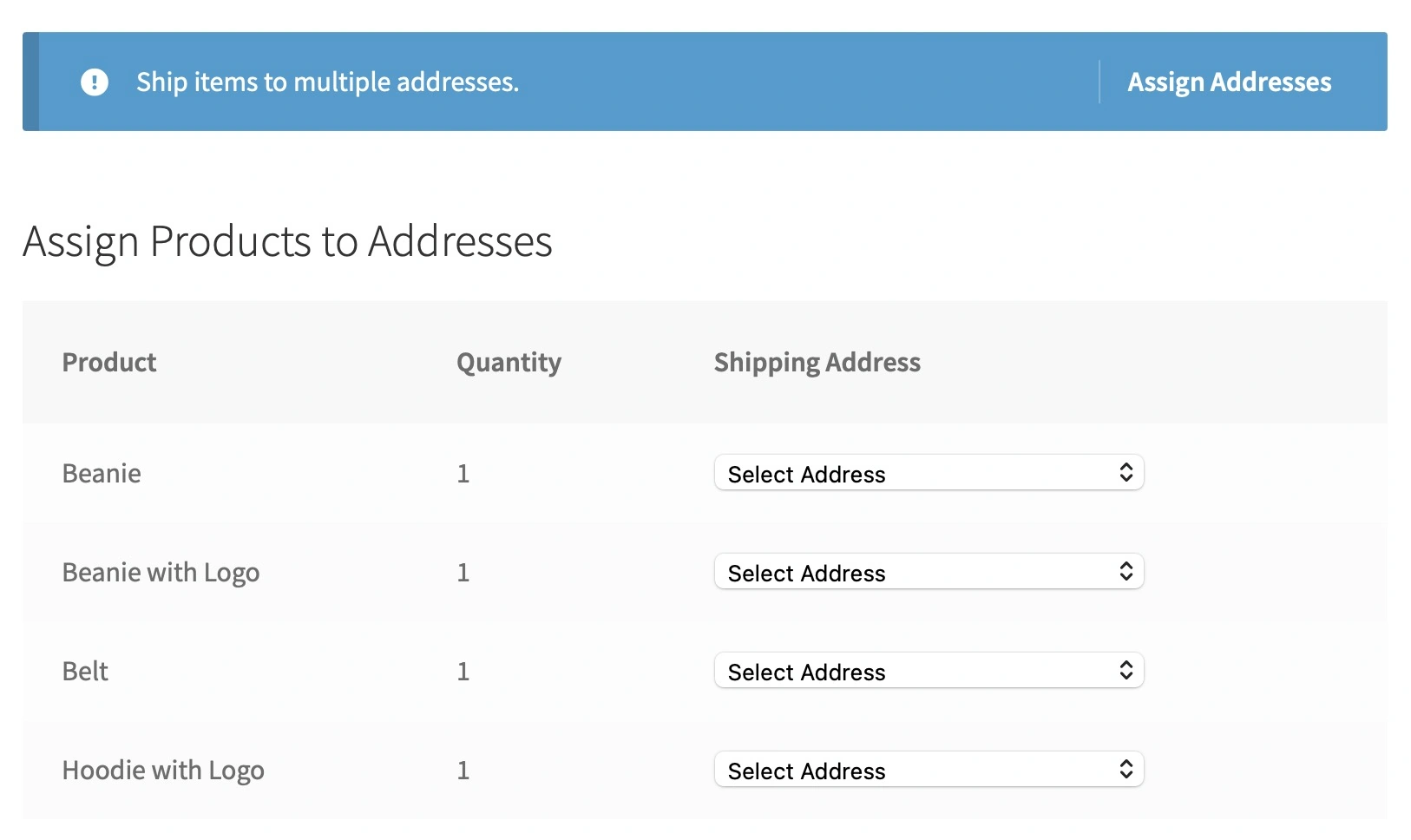
Key Features
This plugin is loaded with features to handle the complexity of multi-address shipping seamlessly:
1. Address Management
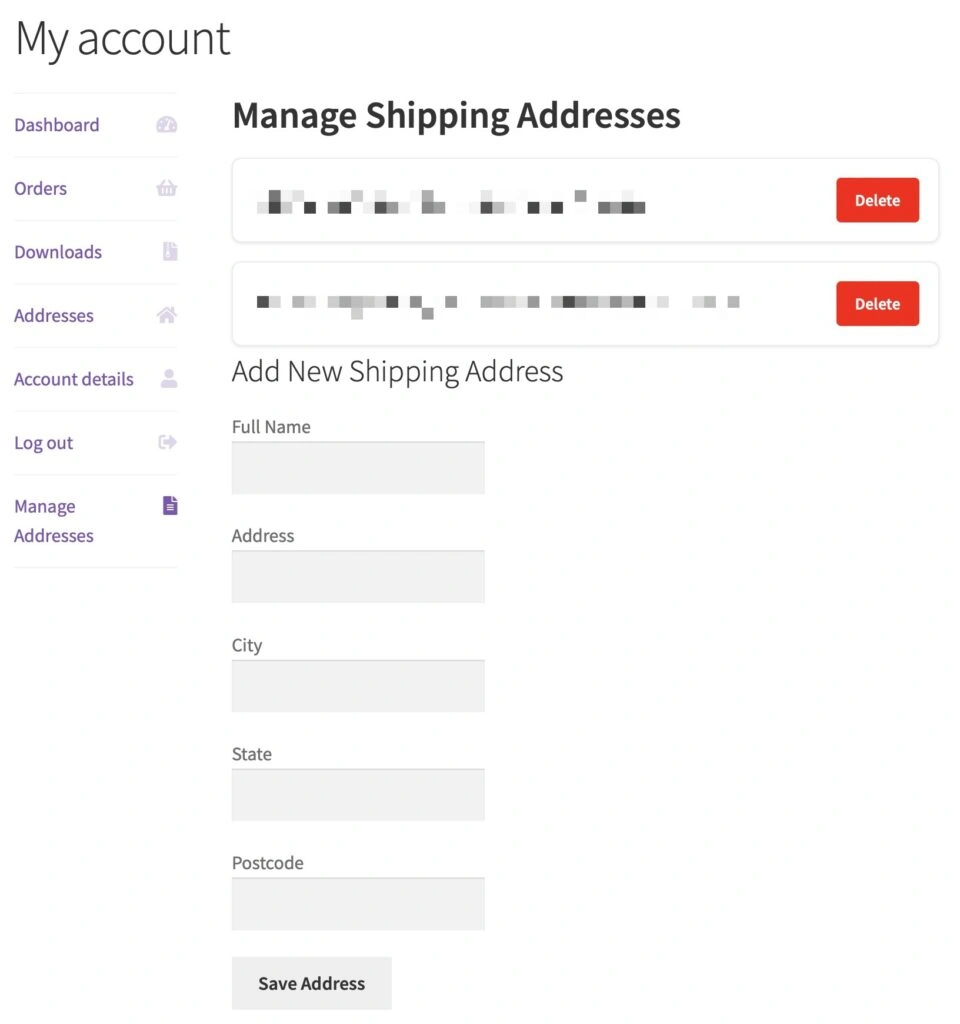
Customers can save and manage multiple shipping addresses directly from their account dashboard.
This makes checkout quicker and more convenient for repeat orders.
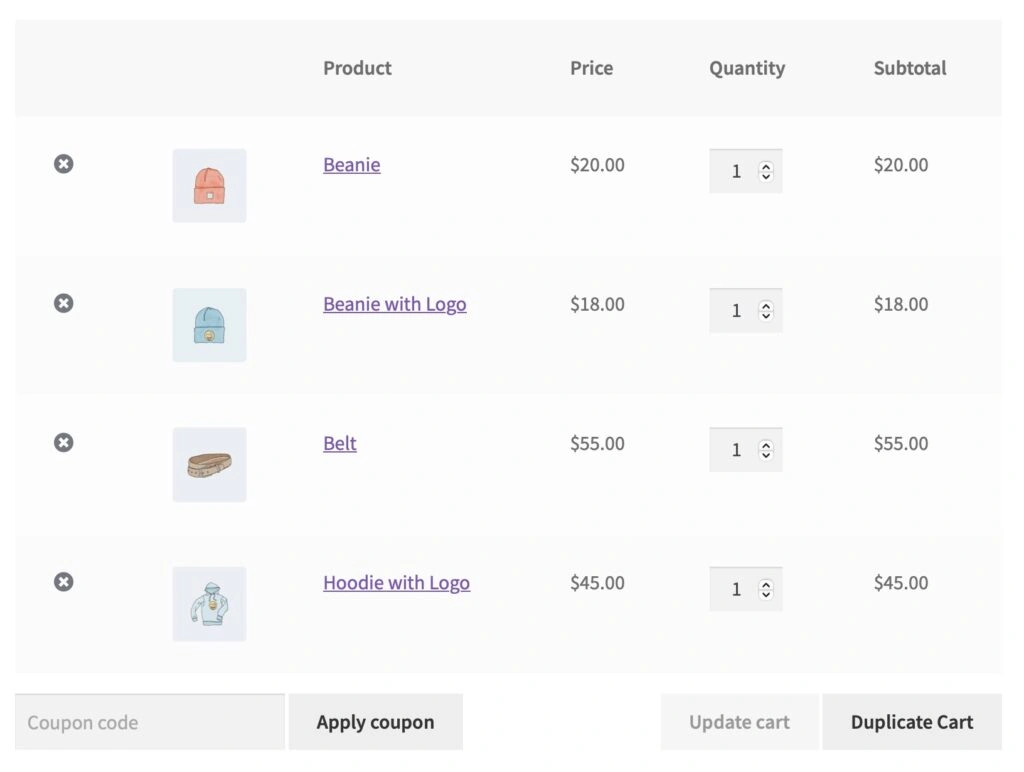
2. Cart Duplication
Need the same item shipped to multiple locations?
With the “Duplicate Cart” button, you can easily replicate cart items.
3. Custom Delivery Options
Customers can add delivery notes and select a preferred delivery date for each shipment. These details are saved with the order and accessible to the store admin.
4. Automatic Order Splitting
The plugin automatically splits orders into sub-orders based on assigned addresses, making fulfillment and tracking a breeze.
5. Email Notifications
Get custom notifications for split and partial orders to keep customers informed every step of the way.
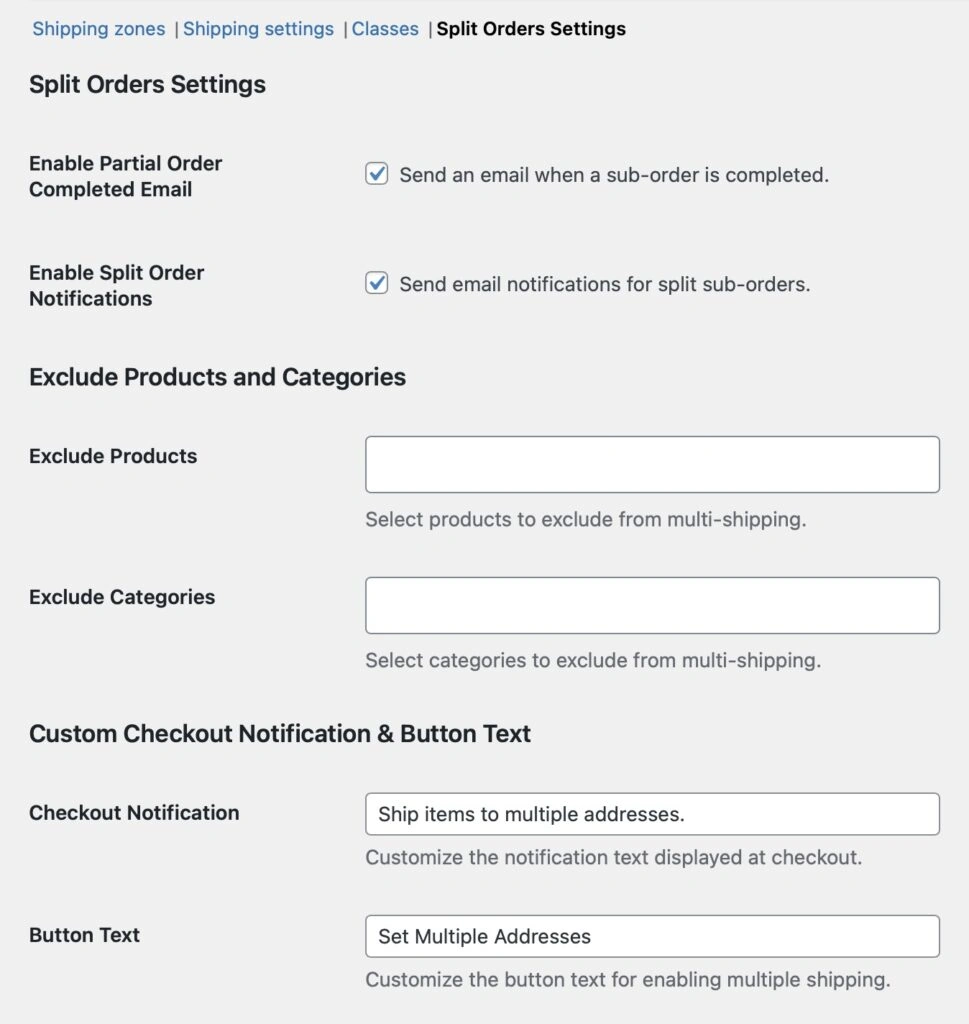
6. Admin-Friendly Tools
Admins can:
- Highlight sub-orders in the order list.
- View parent-child relationships between orders.
- Configure settings for excluded products and categories directly from WooCommerce settings.
How It Works
For Customers
1. Manage Addresses: Log in to your WooCommerce® account and navigate to the new “Manage Addresses” section.
2. Checkout Flexibility: Assign specific products to different saved addresses during checkout.
3. Submit Your Order: Once the order is placed, it’s automatically split into sub-orders for each address.
For Store Owners
1. Setup and Configuration: Install the plugin, activate it, and configure settings under WooCommerce > Settings > Shipping > Split Orders Settings.
2. Easy Order Management: Use the order list to track parent-child order relationships and sub-order statuses.
3. Exclusions and Customizations: Control which products/categories can be excluded from multi-shipping and customize the checkout UI to match your store’s branding.
Perfect for the Holiday Rush
Christmas is 7 days away, and this plugin is perfect for managing increased demands that your stores may have from last minute shoppers.
Whether customers are shipping gifts to multiple recipients or businesses are distributing products to various offices, Shipping Multiple Addresses for WooCommerce® is here to save the day.

Get it on GitHub
You can download the plugin from my GitHub repository.
Installation is simple, and you’ll be up and running in no time.
Have questions or feedback?
Feel free to reach out or open an issue on GitHub. Your input is always welcome!
A Big Thanks to the Woo Community
I’m continually inspired by the WooCommerce® community.
Building plugins like this wouldn’t be possible without the amazing feedback, support, and collaboration from all of you 🤘
Thank you for being part of this journey with me 💯
What’s Next?
This is my second-to-last #WooWednesday release, so stay tuned for something truly special next time.
Until then, I hope you enjoy using Shipping Multiple Addresses for WooCommerce® and find it as useful as I hope it is for you 🙏