
I’m thrilled to announce the release of Test Orders for WooCommerce® , a free plugin designed to simplify testing workflows for WooCommerce® store owners.
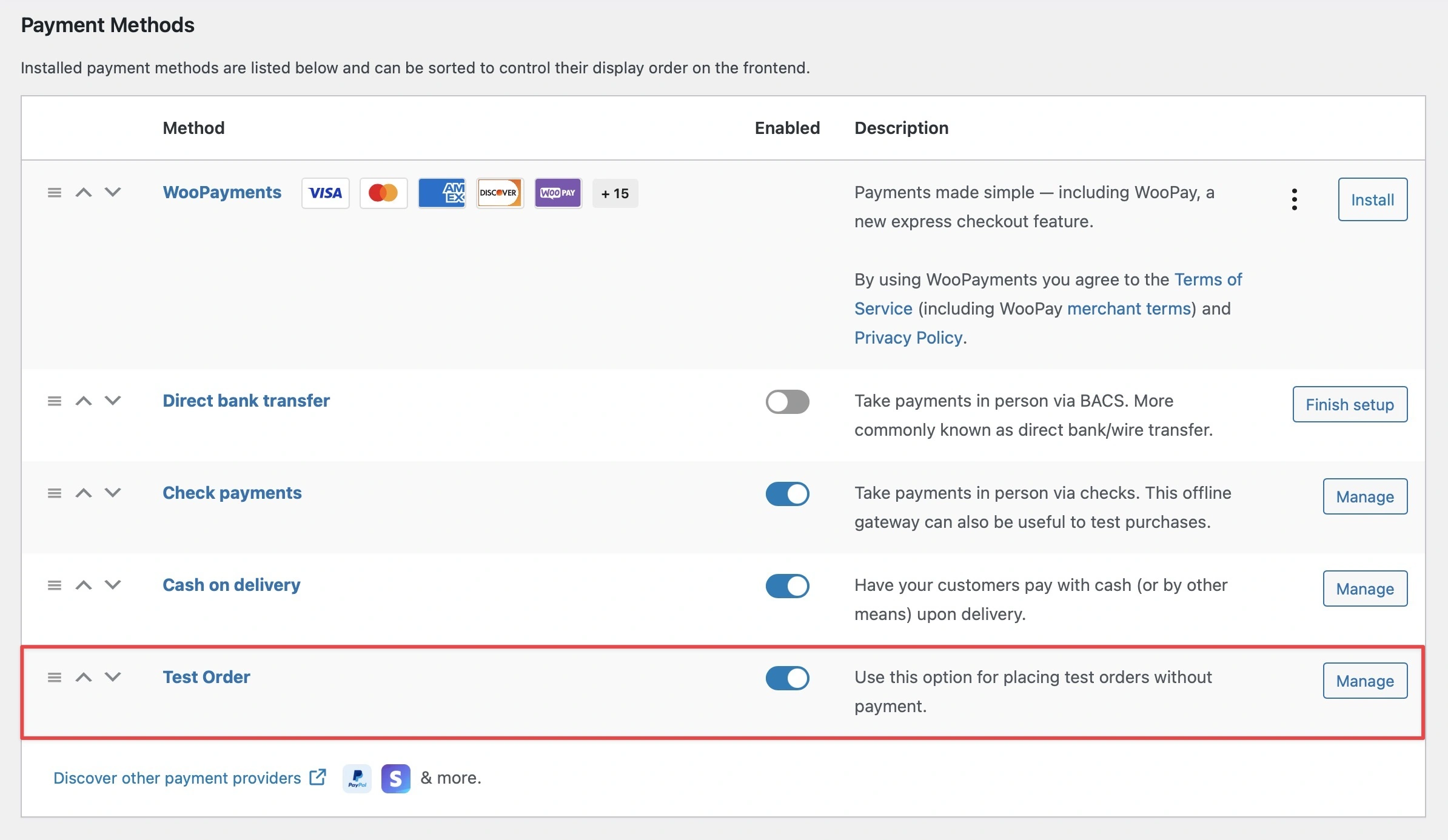
This plugin adds a “Test Order” payment gateway to your store, allowing you to place test orders without processing actual payments.
As part of my December to Remember campaign on Twitter, I’m sharing impactful contributions to the WordPress® and WooCommerce® communities like this one.
This free plugin is my small way of giving back by providing a simple, yet incredibly useful, tool for WooCommerce® store owners.
Key Features
Here’s what makes Test Orders for WooCommerce® a valuable tool for store owners:
- Test Order Payment Gateway : Place test orders directly from the checkout page.
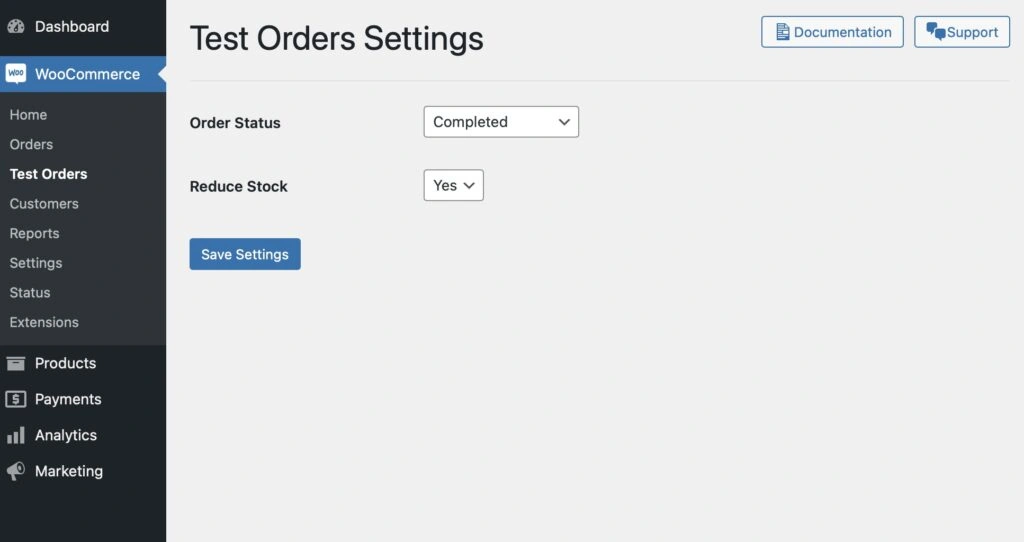
- Customizable Settings : Configure the default order status and stock reduction behavior for test orders.
- WooCommerce® Integration : Seamlessly integrates with WooCommerce’s payment system.
- Secure and Reliable : Built with WooCommerce® standards, ensuring security and compatibility.
Why Use Test Orders for WooCommerce®?
Testing is a crucial part of maintaining a fully functional WooCommerce® store.
Whether you’re setting up a new store, testing customizations, or troubleshooting an issue, the “Test Order” option allows you to:
1. Simulate the checkout process without real payments.
2. Test order emails, workflows, and inventory adjustments.
3. Reduce the need for complex staging environments.
With this free WooCommerce® plugin, you can ensure your store is functioning as expected before making it live for your customers.
How to Use
Using Test Orders for WooCommerce® is simple:
1. Install the Plugin :
- Download the plugin from the GitHub repository.
- Upload and activate it from your WordPress admin dashboard.
2. Enable the Test Order Gateway :
- Navigate to
WooCommerce > Settings > Payments. - Enable the “Test Order” gateway and configure its settings.
3. Customize Settings :
- Go to
WooCommerce > Test Ordersto set the default order status and choose whether to reduce stock for test orders.
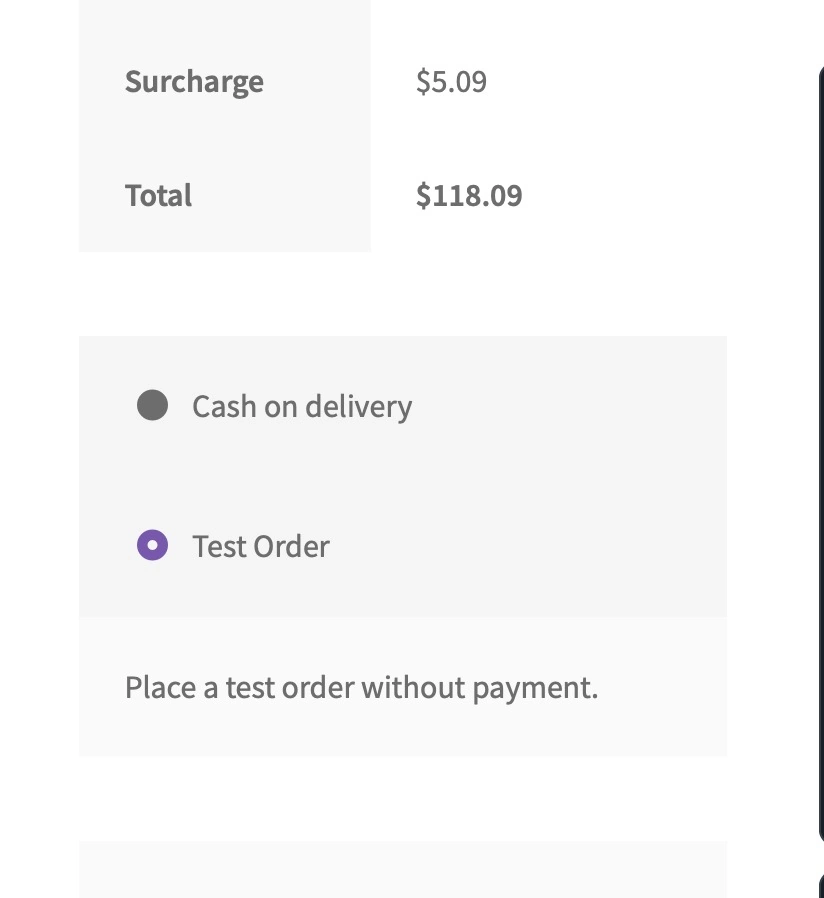
4. Start Testing :
- Visit your store’s checkout page and select “Test Order” as the payment method.
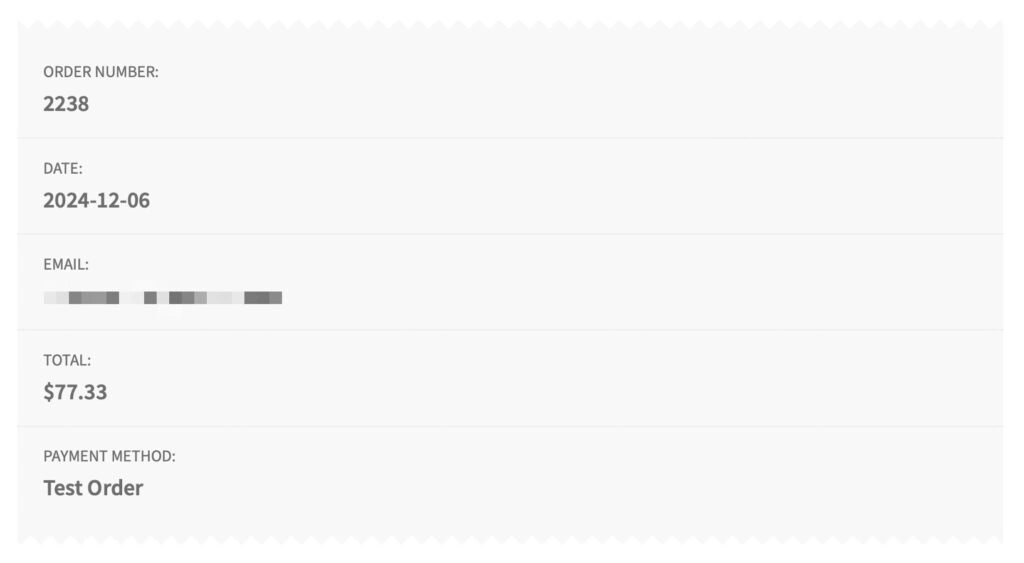
- Complete the checkout process to simulate a test order.
Behind the Scenes
The plugin is lightweight, designed to integrate smoothly with WooCommerce® while not adding unnecessary complexity.
Key highlights include:
- Payment Gateway Implementation : Extends WooCommerce’s payment gateway class to provide a custom “Test Order” option.
- Settings Management : Allows you to control test order behavior directly from the admin panel.
- Update Checker : Automatically checks for plugin updates via GitHub.
Who Is This For?
The free Test Orders for WooCommerce® plugin is perfect for:
- Developers testing WooCommerce® themes and plugins.
- Store owners troubleshooting checkout issues.
- QA teams validating store workflows.

Get Started Today
You can download Test Orders for WooCommerce® for free from the GitHub repository.
Try it out and streamline your WooCommerce® testing process today!
Feedback and Support
I’d love to hear your thoughts and suggestions! If you have feedback or need assistance, feel free to:
- Open an issue on GitHub.
- Contact me directly via my contact page.